ユーザーが設定できるプロパティを受け取る
更新日
このガイドを終えると、Re:Earth Visualizer のインスペクターパネルからユーザーが設定できる項目をプラグインに追加し、拡張コードからその値を読み取れるようになります。このガイドは、reearth.yml と拡張ファイルの基本的な構造を把握していることを前提としています。
ユーザーが設定できるプロパティを追加するには、reearth.yml でスキーマを宣言します。Re:Earth Visualizer がそのスキーマをインスペクターパネルに表示し、拡張コードからは reearth.extension を使って値を読み取れます。
サンプルコード
Section titled “サンプルコード”この例では、ユーザーが背景色を選択できるカラーピッカーを追加します。拡張コードはその色を読み取り、UI に渡してパネルの背景に適用します。
reearth.yml
id: accept-props-pluginname: Accept Props Pluginversion: 1.0.0extensions: - id: accept-props type: widget name: Accept Props schema: groups: - id: appearance fields: - id: primary_color type: string ui: color title: Primary color defaultValue: "#3a86ff"accept-props.js
const color =  reearth.extension.widget?.property?.appearance?.primary_color ?? "#3a86ff";
reearth.ui.show(` <style> html, body { margin: 0; } #box { width: 120px; height: 120px; background: ${color}; border-radius: 8px; } </style> <div id="box"></div>`);パネルが地図上に表示されます。インスペクターパネルで別の色を選択すると、プラグインをリロードした際にその色がパネルに反映されます。
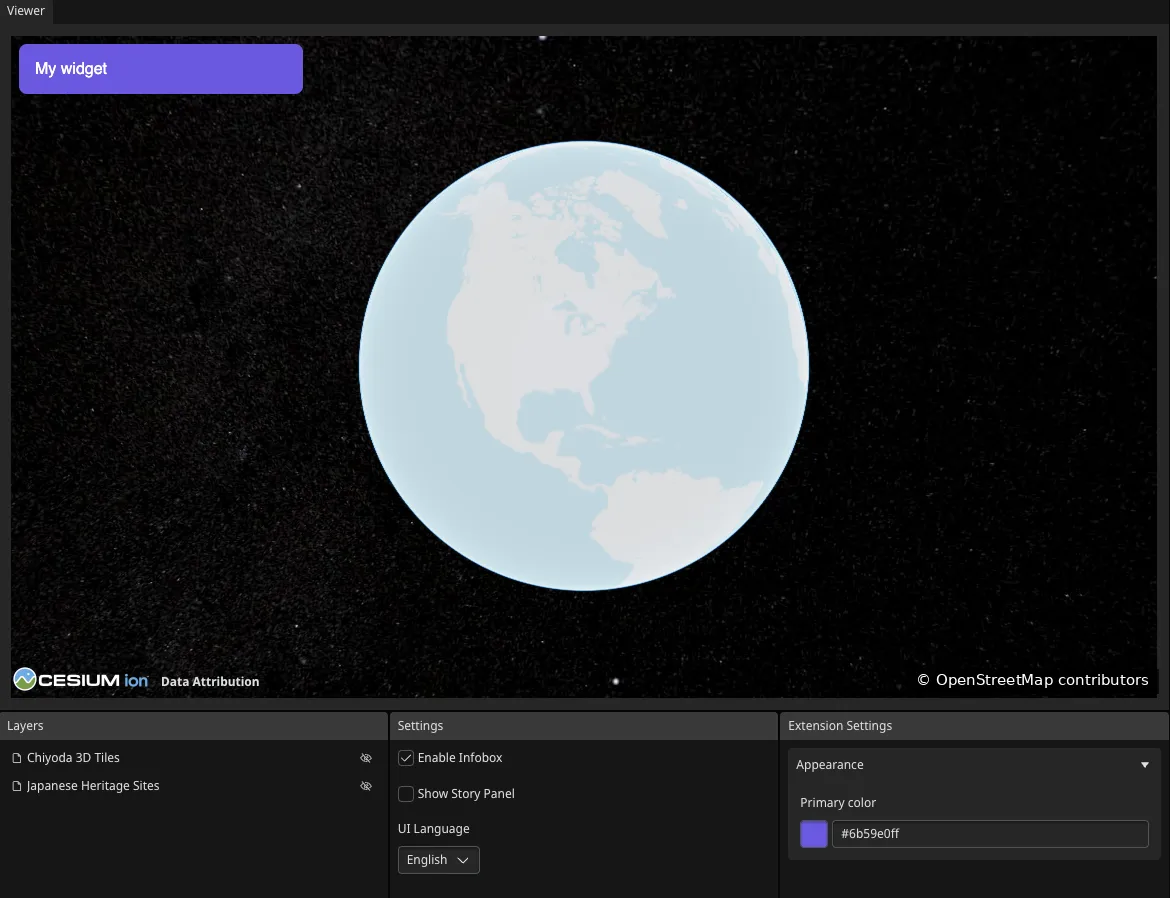
地図データ提供:OpenStreetMap
reearth.yml でスキーマを宣言する
スキーマはウィジェットの schema キーの下に記述します。groups は設定パネルのセクションを定義し、各 fields がひとつの設定項目に対応します。
schema: groups: - id: appearance fields: - id: primary_color type: string ui: color title: Primary color defaultValue: "#3a86ff"id: コードでフィールドを参照するために使う識別子。type: フィールドの値の型。string、number、boolなどが使えます。ui: インスペクターに表示するウィジェットの種類。colorを指定するとカラーピッカーが表示されます。title: インスペクターに表示されるラベル。defaultValue: 初期値。
コードで値を読み取る
reearth.extension を通じてプロパティにアクセスします。パスは widget → property → <グループ ID> → <フィールド ID> の順になります。
const color = reearth.extension.widget?.property?.appearance?.primary_color ?? "#3a86ff";オプショナルチェーン(?.)を使うのは、ウィジェット・グループ・フィールドがどれかひとつでも未設定の場合に undefined を返すためです。?? はフォールバック値として機能します。
次のステップ
Section titled “次のステップ”- reearth.extension API リファレンス: ウィジェット・インフォボックスブロック・ストーリーブロックのプロパティの完全な一覧
- プラグインの構造: スキーマフィールドの完全なリストと各タイプの説明