Change the basemap
Last updated
By the end of this guide, you will be able to change the basemap—the base
imagery shown on the globe—from your Plugin. This guide assumes you are
familiar with the basic Plugin structure of reearth.yml and an extension
file.
You change the basemap by calling reearth.viewer.overrideProperty with a
tiles array. Each entry describes one tile source. Re:Earth Visualizer
includes several built-in basemaps you can select by name, and you can also
point to a custom tile server by URL.
Sample code
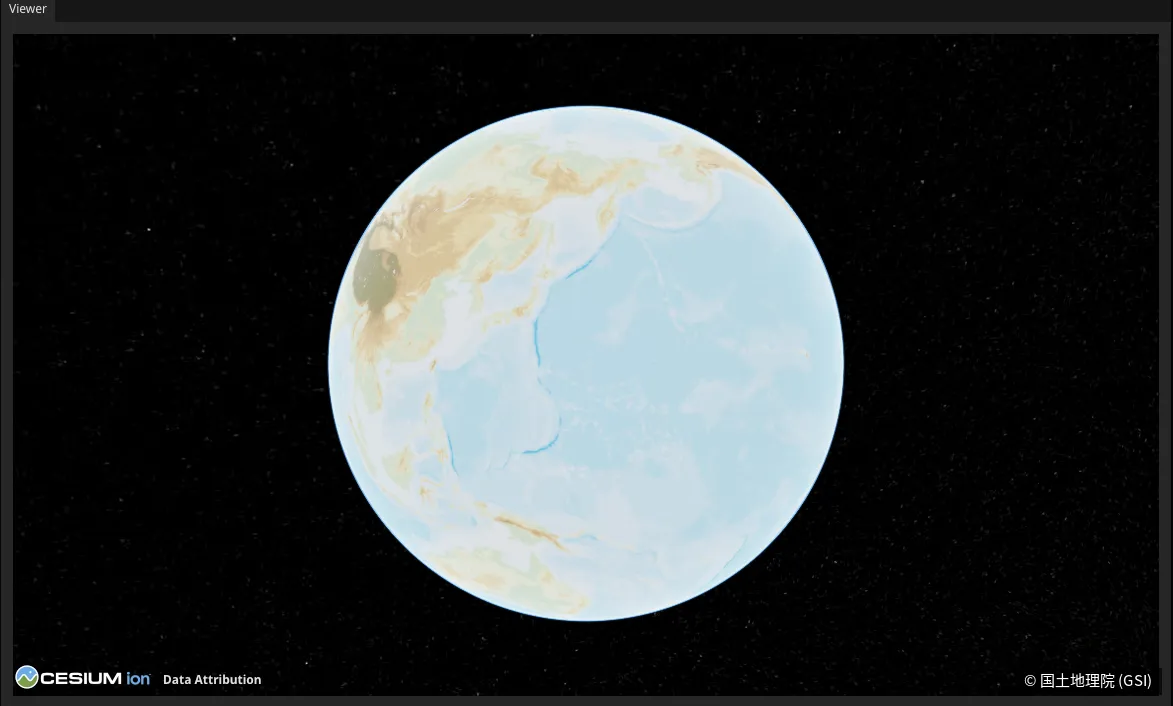
Section titled “Sample code”This example switches the basemap to the Japan GSI standard map.
reearth.yml
id: basemap-pluginname: Basemap Pluginversion: 1.0.0extensions: - id: basemap-demo type: widget name: Basemap Demobasemap-demo.js
reearth.viewer.overrideProperty({ tiles: [ { id: "gsi", type: "japan_gsi_standard", }, ],});Result
Section titled “Result”When the widget loads, the globe’s base imagery is replaced with the Japan GSI standard map.
How it works
Section titled “How it works”reearth.viewer.overrideProperty sets viewer properties at runtime. To change
the basemap, you pass a tiles array—the imagery you provide replaces the
current basemap. Each tile entry needs an id (a unique identifier you choose)
plus either a built-in type or a custom url.
Using a built-in basemap
Section titled “Using a built-in basemap”To use one of Re:Earth Visualizer’s built-in basemaps, set type to the
basemap name. No URL is needed—each built-in already knows where to load its
tiles from.
| Type | Basemap | Requires Cesium Ion token |
|---|---|---|
open_street_map | OpenStreetMap | No |
japan_gsi_standard | Japan GSI standard map | No |
carto_light | CARTO light | No |
default | Cesium Ion default imagery | Yes |
default_road | Cesium Ion road map | Yes |
default_label | Cesium Ion labelled imagery | Yes |
black_marble | Earth at night | Yes |
Basemaps marked “Yes” load imagery from Cesium Ion and only work if a Cesium Ion access token is configured in your scene.
Using a custom basemap
Section titled “Using a custom basemap”To use a tile server not listed above, provide a url using the standard
{z}/{x}/{y} template format:
reearth.viewer.overrideProperty({ tiles: [ { id: "custom", url: "https://example.com/tiles/{z}/{x}/{y}.png", }, ],});What’s next
Section titled “What’s next”- reearth.viewer API reference:
overridePropertyand other viewer methods