Build an ISS Tracker plugin with React and TypeScript
Last updated
Starting from the Re:Earth Visualizer React and TypeScript plugin template, you will configure an ISS Tracker widget, connect it to live ISS position data, control the Visualizer camera, package the plugin, and install it in a project. Each stage includes a visible result you can check before continuing.
What you will build
Section titled “What you will build”The finished ISS Tracker plugin displays the station’s current longitude, latitude, and altitude. Update retrieves a fresh position, Jump moves the camera to the displayed position, and Follow retrieves the ISS location and moves the camera every five seconds. The completed plugin is packaged as a ZIP file and installed as a widget in a Visualizer project.
You can compare your project with the completed ISS Tracker source code.
Prerequisites
Section titled “Prerequisites”- Node.js 20.11.0 or later
- Yarn 4.5.1
- Git
- A code editor such as Visual Studio Code
- Basic familiarity with React and TypeScript
- A local Re:Earth Visualizer frontend for the development-plugin workflow
Step 1 — Set up the development environment
Section titled “Step 1 — Set up the development environment”Install the plugin template
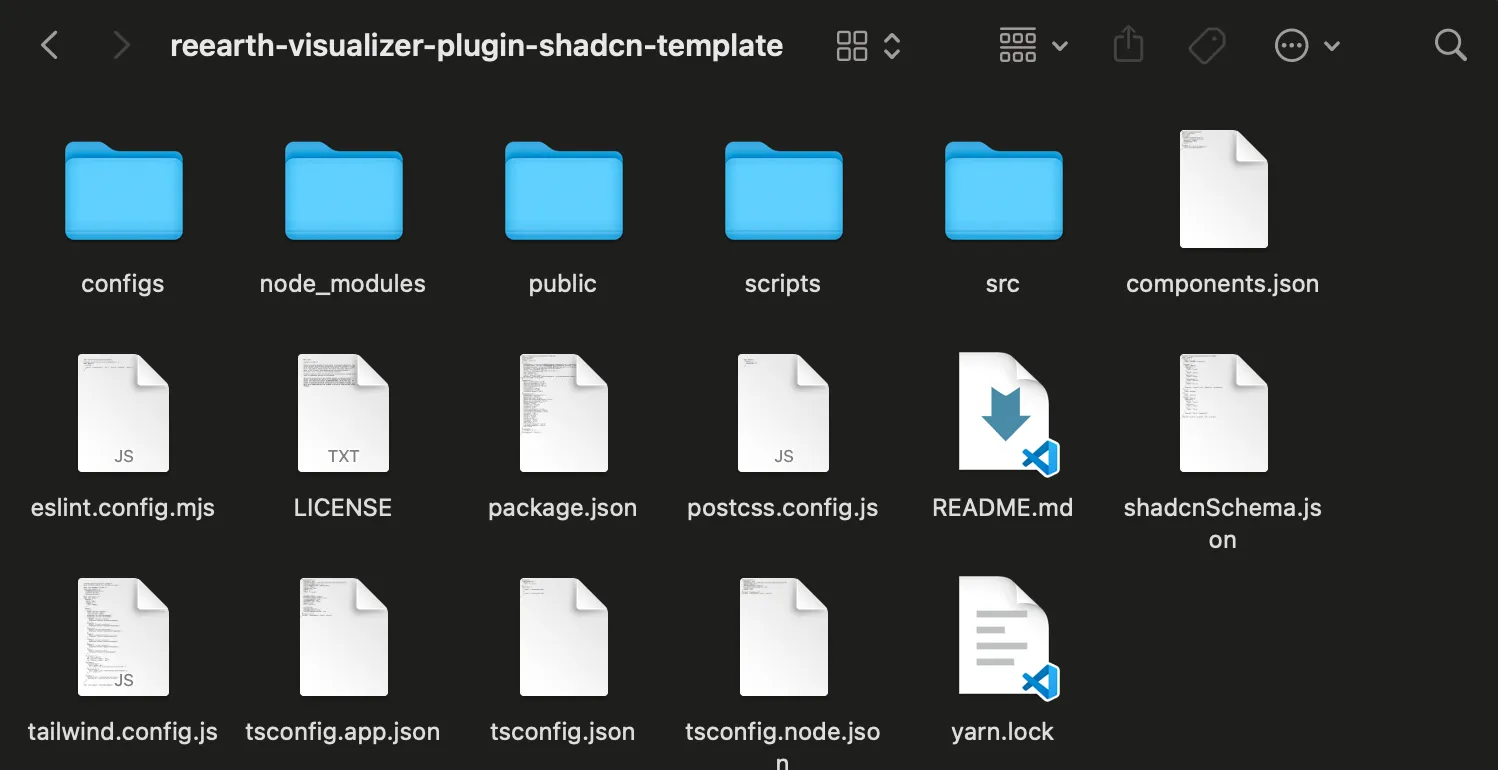
Section titled “Install the plugin template”Open a terminal and run the following commands. Replace <plugin-parent-directory> with the directory where you want to create the project.
cd <plugin-parent-directory>git clone https://github.com/reearth-plugins/reearth-visualizer-plugin-shadcn-template.gitcd reearth-visualizer-plugin-shadcn-templatecorepack enableyarn installThe template uses the Yarn version declared in its package.json. Corepack makes that version available instead of using an incompatible global Yarn installation.
Configure the local Visualizer frontend
Section titled “Configure the local Visualizer frontend”The local development workflow loads the plugin from its preview server at http://localhost:5005.
- Open
web/.envin your local Re:Earth Visualizer repository. - Add the following environment variable:
REEARTH_WEB_DEV_PLUGIN_URLS='["http://localhost:5005"]'- Restart the local Visualizer development server after saving the file.
Configure the plugin manifest
Section titled “Configure the plugin manifest”Open public/reearth.yml in the plugin project. Replace the entire file with:
id: iss-tracker-pluginname: ISS Tracker Pluginversion: 1.0.0extensions: - id: iss_tracker type: widget name: ISS TrackerThe extension ID, extension directory, entry filename, and build-script names must all use iss_tracker.
Configure the build scripts
Section titled “Configure the build scripts”Open package.json in the plugin project. Replace only its existing scripts object with:
"scripts": { "dev:iss_tracker:main": "cross-env EXTENSION_NAME=iss_tracker UI_NAME=main vite -c configs/ui.ts", "build:iss_tracker:main": "cross-env EXTENSION_NAME=iss_tracker UI_NAME=main vite build -c configs/ui.ts", "build:iss_tracker:extension": "cross-env EXTENSION_NAME=iss_tracker vite build -c configs/extension.ts", "build:iss_tracker": "run-s build:iss_tracker:main build:iss_tracker:extension", "build": "run-s build:iss_tracker zip", "preview": "vite preview --port 5005 --strict-port", "zip": "node ./scripts/zip.mjs", "manage": "node ./scripts/manage.mjs", "type": "tsc -b", "lint": "eslint .", "fix": "eslint --fix .", "format": "prettier --write .", "dev-build": "concurrently 'yarn dev:iss_tracker:main' 'yarn build:iss_tracker:main --watch' 'yarn build:iss_tracker:extension --watch' 'vite preview --port 5005 --strict-port'"}Do not replace the rest of package.json.
Rename the extension files
Section titled “Rename the extension files”From the plugin project root, rename the template extension directory and its entry file:
mv src/extensions/demo src/extensions/iss_trackermv src/extensions/iss_tracker/demo.ts src/extensions/iss_tracker/iss_tracker.tsOpen src/extensions/iss_tracker/iss_tracker.ts and change its HTML import to:
import html from "@distui/iss_tracker/main/index.html?raw";The relevant source files should now have this structure:
src/extensions/iss_tracker/├── iss_tracker.ts└── main/ ├── App.tsx ├── app.css ├── hooks.ts ├── index.html └── main.tsx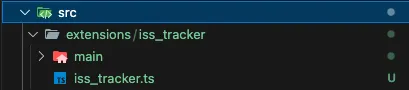
Start and install the development plugin
Section titled “Start and install the development plugin”Build the plugin once to create the required output, then start the development processes:
yarn buildyarn dev-build- Open
http://localhost:3000/and select a project in your local Visualizer. - Locate Install Dev Plugins and Reload Dev Plugin Extensions in the editor header.
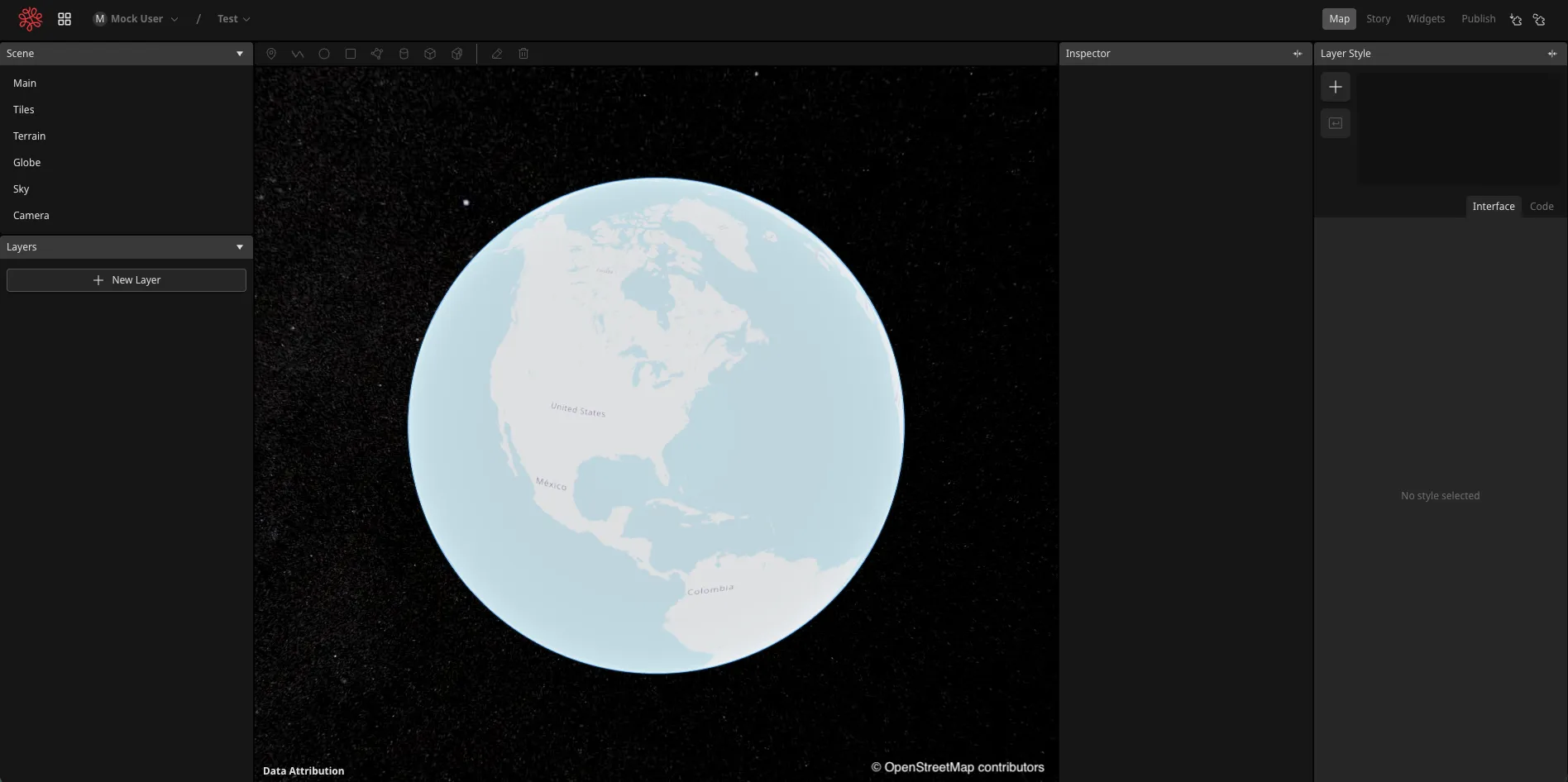
- Select Install Dev Plugins. Use this action the first time you install the plugin and after changing
reearth.yml.

- After changing extension or UI code, select Reload Dev Plugin Extensions to load the latest build.

- Confirm that the development plugin is installed.
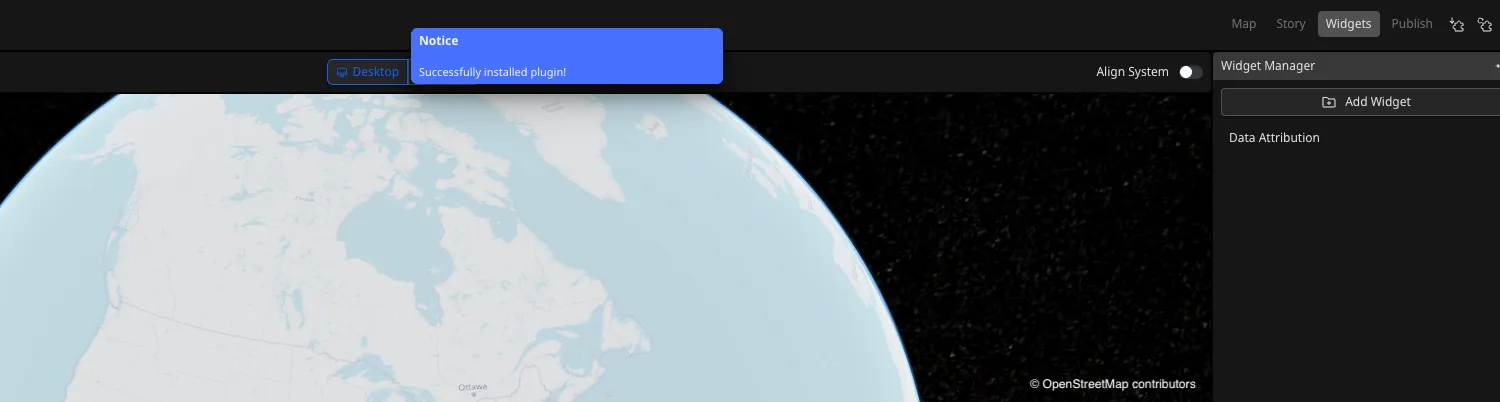
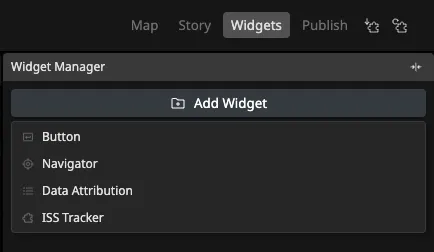
- Open the Widgets tab and add ISS Tracker to the scene.
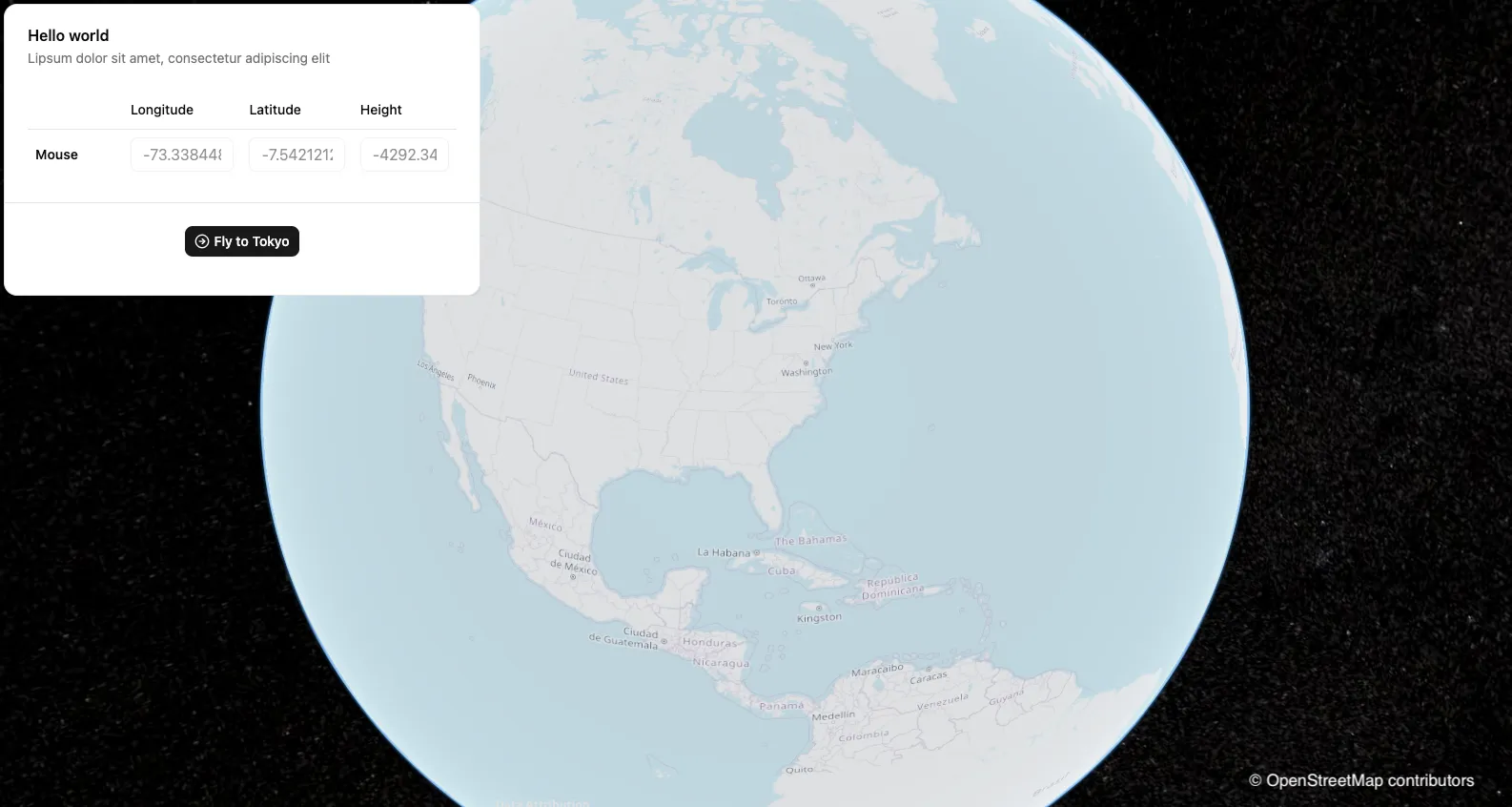
The unchanged template widget initially displays its sample interface. You will replace it in the next step.
Step 2 — Build the ISS Tracker
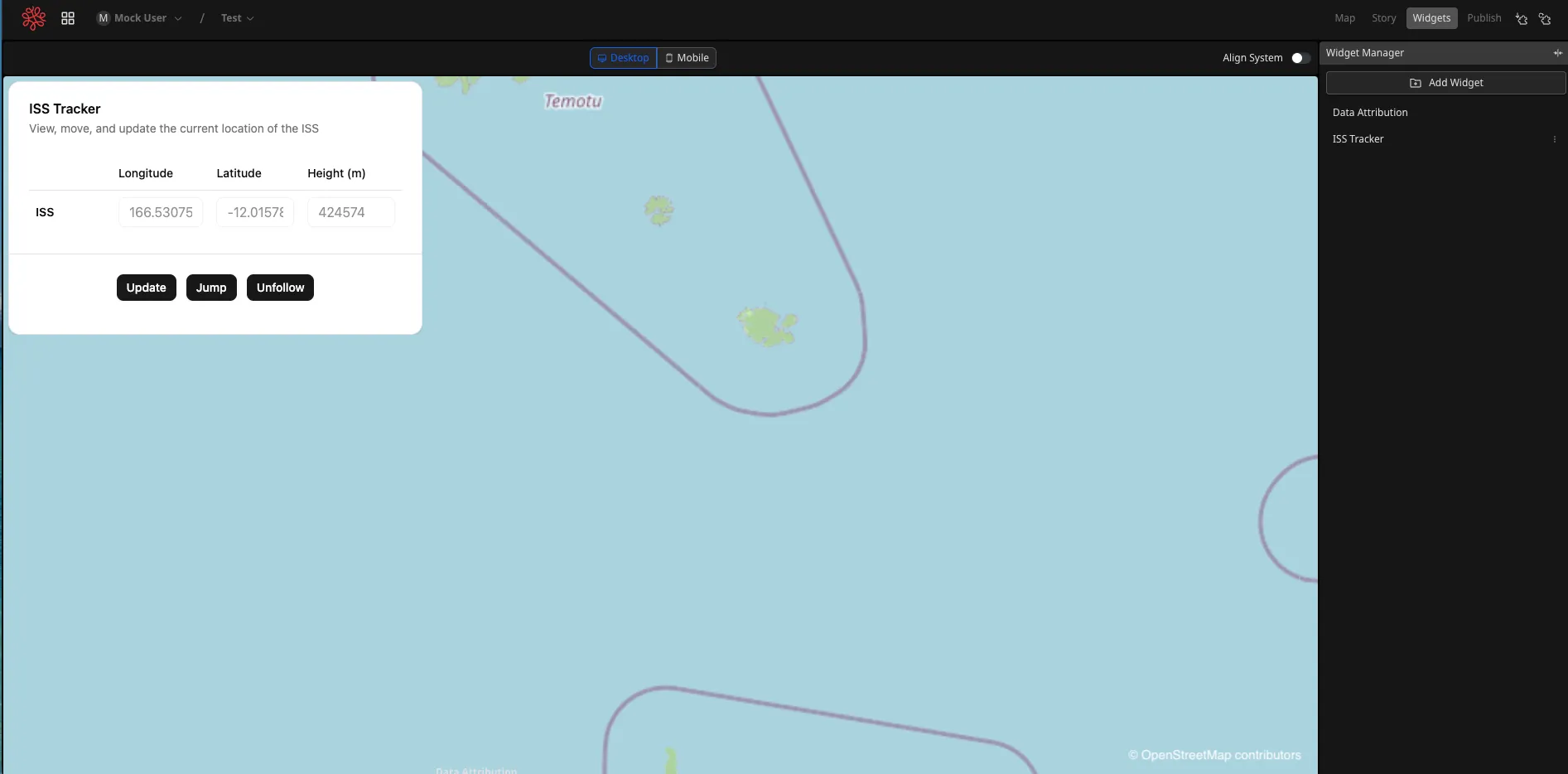
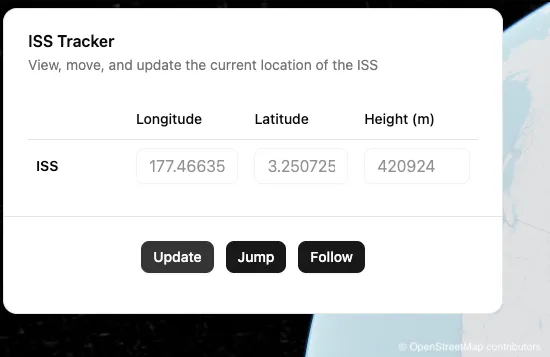
Section titled “Step 2 — Build the ISS Tracker”The finished widget provides three controls:
- Update retrieves the ISS’s current position.
- Jump moves the Visualizer camera to the displayed ISS position.
- Follow retrieves the position and moves the camera every five seconds.
Understand the project structure
Section titled “Understand the project structure”You will mainly work with files in the src directory:
iss-tracker-plugin/├── node_modules/├── public/│ └── reearth.yml # Plugin definition├── src/│ ├── extensions/│ │ └── iss_tracker/ # Extension directory named after its ID│ │ ├── main/ # UI project for the main view│ │ └── iss_tracker.ts # Extension script│ └── shared/│ ├── components/ # Shared shadcn/ui components│ ├── lib/ # Shared shadcn/ui utilities│ ├── reearthTypes/ # Visualizer Plugin API types│ ├── global.css # Shared Tailwind CSS│ └── utils.ts├── dist/ # Plugin build output├── dist-ui/ # UI build output├── package/ # Installable ZIP output├── configs/ # Vite configurations├── scripts/├── package.json└── README.mdChange the template interface
Section titled “Change the template interface”Open src/extensions/iss_tracker/main/App.tsx.
Replace the existing CardHeader with:
<CardHeader> <CardTitle>ISS Tracker</CardTitle> <CardDescription> View, move, and update the current location of the ISS </CardDescription></CardHeader>In the table body, change the row label from Mouse to ISS:
<TableCell className="font-semibold">ISS</TableCell>Replace the entire existing CardFooter with three temporary controls:
<CardFooter className="justify-center gap-3 p-4 border-t"> <Button size="sm" className="gap-1" onClick={handleFlyToTokyo}> Update </Button> <Button size="sm" className="gap-1"> Jump </Button> <Button size="sm" className="gap-1"> Follow </Button></CardFooter>The buttons do not all work yet. Keeping handleFlyToTokyo temporarily attached to Update ensures the existing handler is still referenced while you build the new behavior.
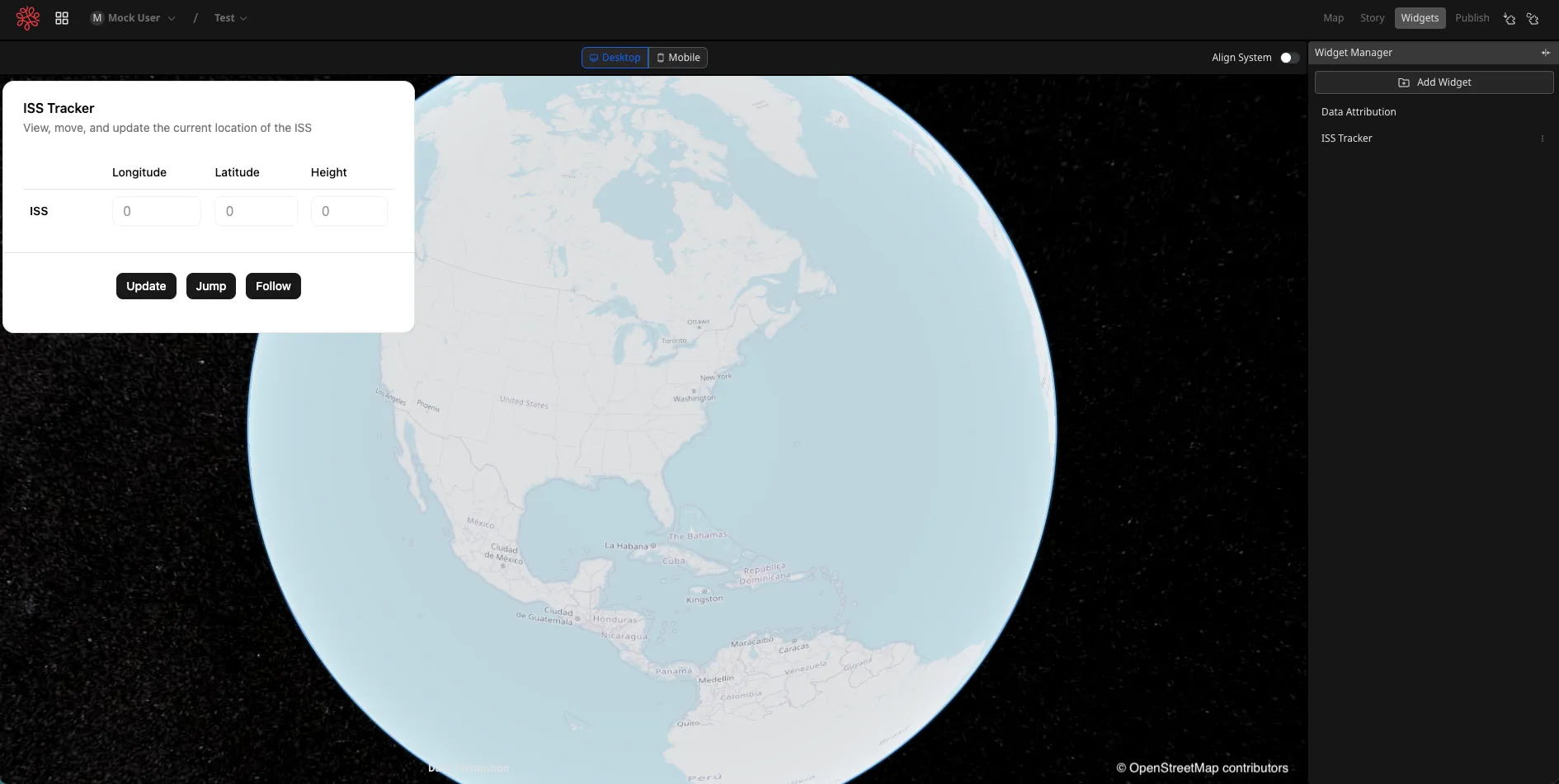
Select Reload Dev Plugin Extensions in Visualizer. If you open http://localhost:5173/, UI changes are hot-reloaded while the UI development server is running.
Implement Update
Section titled “Implement Update”Open src/extensions/iss_tracker/main/hooks.ts. Replace the entire file with:
import { useState } from "react";
type IssPosition = {  lat: number;  lon: number;  height: number;};
export default () => {  const [issPosition, setIssPosition] = useState<IssPosition | null>(null);
  const handleUpdate = async () => {    const position = await fetchIssLocation();    setIssPosition(position);  };
  return { issPosition, handleUpdate };};
const fetchIssLocation = async (): Promise<IssPosition | null> => {  try {    const response = await fetch(      "https://api.wheretheiss.at/v1/satellites/25544",    );    if (!response.ok) {      throw new Error(`HTTP error! Status: ${response.status}`);    }
    const data = await response.json();    return {      lat: data.latitude,      lon: data.longitude,      height: data.altitude * 1000,    };  } catch {    return null;  }};
The hook stores either an ISS position or null. fetchIssLocation() retrieves the current coordinates and converts altitude from kilometres to metres. handleUpdate() saves the result in React state.
Next, open src/extensions/iss_tracker/main/App.tsx and replace the existing useHooks() call with:
const { issPosition, handleUpdate } = useHooks();Replace the entire CardFooter so Update calls the new handler:
<CardFooter className="justify-center gap-3 p-4 border-t"> <Button size="sm" className="gap-1" onClick={handleUpdate}> Update </Button> <Button size="sm" className="gap-1"> Jump </Button> <Button size="sm" className="gap-1"> Follow </Button></CardFooter>Replace the three coordinate cells in the table row with:
<TableCell> <Label htmlFor="iss-lng" className="sr-only"> Longitude </Label> <Input id="iss-lng" type="number" disabled value={issPosition?.lon ?? ""} /></TableCell><TableCell> <Label htmlFor="iss-lat" className="sr-only"> Latitude </Label> <Input id="iss-lat" type="number" disabled value={issPosition?.lat ?? ""} /></TableCell><TableCell> <Label htmlFor="iss-height" className="sr-only"> Height </Label> <Input id="iss-height" type="number" disabled value={issPosition?.height ?? ""} /></TableCell>Reload the plugin and select Update. The current longitude, latitude, and altitude should appear in the widget.
Implement Jump
Section titled “Implement Jump”Open src/extensions/iss_tracker/main/hooks.ts. Replace the entire file with:
import { useState } from "react";
import { postMsg } from "@/shared/utils";
type IssPosition = {  lat: number;  lon: number;  height: number;};
export default () => {  const [issPosition, setIssPosition] = useState<IssPosition | null>(null);
  const handleUpdate = async () => {    const position = await fetchIssLocation();    setIssPosition(position);  };
  const handleJump = () => {    flyTo(issPosition);  };
  return { issPosition, handleUpdate, handleJump };};
const fetchIssLocation = async (): Promise<IssPosition | null> => {  try {    const response = await fetch(      "https://api.wheretheiss.at/v1/satellites/25544",    );    if (!response.ok) {      throw new Error(`HTTP error! Status: ${response.status}`);    }
    const data = await response.json();    return {      lat: data.latitude,      lon: data.longitude,      height: data.altitude * 1000,    };  } catch {    return null;  }};
const flyTo = (position: IssPosition | null): void => {  if (!position) {    console.warn("No position available to fly to.");    return;  }  postMsg("flyTo", position);};
flyTo() verifies that a position exists, then uses postMsg() to send it from the widget iframe to the extension.
Open src/extensions/iss_tracker/iss_tracker.ts. Replace the entire file with:
import html from "@distui/iss_tracker/main/index.html?raw";
import { GlobalThis } from "@/shared/reearthTypes";
type IssPosition = {  lat: number;  lon: number;  height: number;};
type FlyToMessage = {  action: "flyTo";  payload: IssPosition;};
const isFlyToMessage = (message: unknown): message is FlyToMessage => {  if (!message || typeof message !== "object") return false;
  const candidate = message as Partial<FlyToMessage>;  const position = candidate.payload;  return (    candidate.action === "flyTo" &&    !!position &&    Number.isFinite(position.lat) &&    Number.isFinite(position.lon) &&    Number.isFinite(position.height)  );};
const reearth = (globalThis as unknown as GlobalThis).reearth;reearth.ui.show(html);
reearth.extension.on("message", (message: unknown) => {  if (!isFlyToMessage(message)) return;
  reearth.camera.flyTo(    {      lat: message.payload.lat,      lng: message.payload.lon,      height: message.payload.height,    },    { duration: 1 },  );});
The extension validates the message and calls reearth.camera.flyTo(). Notice that the widget uses lon, while the Camera API expects lng.
Finally, open src/extensions/iss_tracker/main/App.tsx and include handleJump when calling the hook:
const { issPosition, handleUpdate, handleJump } = useHooks();Replace the entire CardFooter with:
<CardFooter className="justify-center gap-3 p-4 border-t"> <Button size="sm" className="gap-1" onClick={handleUpdate}> Update </Button> <Button size="sm" className="gap-1" onClick={handleJump}> Jump </Button> <Button size="sm" className="gap-1"> Follow </Button></CardFooter>Reload the plugin, select Update, and then select Jump. The camera should move to the displayed ISS position.
Implement Follow
Section titled “Implement Follow”Open src/extensions/iss_tracker/main/hooks.ts. Replace the entire file with the final hook:
import { useCallback, useEffect, useRef, useState } from "react";
import { postMsg } from "@/shared/utils";
type IssPosition = {  lat: number;  lon: number;  height: number;};
const ISS_API_URL = "https://api.wheretheiss.at/v1/satellites/25544";
const isIssApiResponse = (  value: unknown,): value is { latitude: number; longitude: number; altitude: number } => {  if (!value || typeof value !== "object") return false;
  const data = value as Record<string, unknown>;  return (    Number.isFinite(data.latitude) &&    Number.isFinite(data.longitude) &&    Number.isFinite(data.altitude)  );};
const fetchIssLocation = async (signal: AbortSignal): Promise<IssPosition> => {  const response = await fetch(ISS_API_URL, { signal });  if (!response.ok) {    throw new Error(`ISS API request failed (${response.status}).`);  }
  const data: unknown = await response.json();  if (!isIssApiResponse(data)) {    throw new Error("The ISS API returned an unexpected response.");  }
  return {    lat: data.latitude,    lon: data.longitude,    height: data.altitude * 1000,  };};
const flyTo = (position: IssPosition) => {  postMsg("flyTo", position);};
export default () => {  const [issPosition, setIssPosition] = useState<IssPosition | null>(null);  const [isFollowing, setIsFollowing] = useState(false);  const [error, setError] = useState<string | null>(null);  const activeRequest = useRef<AbortController | null>(null);
  const loadPosition = useCallback(async (): Promise<IssPosition | null> => {    activeRequest.current?.abort();    const controller = new AbortController();    activeRequest.current = controller;    setError(null);
    try {      const position = await fetchIssLocation(controller.signal);      setIssPosition(position);      return position;    } catch (error) {      if (error instanceof DOMException && error.name === "AbortError") {        return null;      }      setError(        error instanceof Error          ? error.message          : "Unable to load the ISS position.",      );      return null;    } finally {      if (activeRequest.current === controller) activeRequest.current = null;    }  }, []);
  const handleUpdate = useCallback(() => {    void loadPosition();  }, [loadPosition]);
  const handleJump = useCallback(() => {    if (issPosition) flyTo(issPosition);  }, [issPosition]);
  useEffect(() => {    if (!isFollowing) return;
    let stopped = false;    let timeoutId: ReturnType<typeof setTimeout> | undefined;
    const follow = async () => {      const position = await loadPosition();      if (position) flyTo(position);      if (!stopped) timeoutId = setTimeout(follow, 5000);    };
    void follow();
    return () => {      stopped = true;      if (timeoutId) clearTimeout(timeoutId);      activeRequest.current?.abort();    };  }, [isFollowing, loadPosition]);
  const toggleFollow = useCallback(() => {    setIsFollowing((current) => !current);  }, []);
  return {    issPosition,    isFollowing,    error,    handleUpdate,    handleJump,    toggleFollow,  };};
The final hook validates the API response, keeps the last successful position visible after a later request fails, prevents overlapping requests, and cancels its timer and active request when follow mode stops.
Open src/extensions/iss_tracker/main/App.tsx. Replace the entire file with the final interface:
import useHooks from "./hooks";
import { Button } from "@/shared/components/ui/button";import {  Card,  CardContent,  CardDescription,  CardFooter,  CardHeader,  CardTitle,} from "@/shared/components/ui/card";import { Input } from "@/shared/components/ui/input";import { Label } from "@/shared/components/ui/label";import {  Table,  TableBody,  TableCell,  TableHead,  TableHeader,  TableRow,} from "@/shared/components/ui/table";
function App() {  const {    issPosition,    isFollowing,    error,    handleUpdate,    handleJump,    toggleFollow,  } = useHooks();
  return (    <Card>      <CardHeader>        <CardTitle>ISS Tracker</CardTitle>        <CardDescription>          View, move, and update the current location of the ISS        </CardDescription>      </CardHeader>      <CardContent>        <Table>          <TableHeader>            <TableRow>              <TableHead className="w-[100px]" />              <TableHead>Longitude</TableHead>              <TableHead>Latitude</TableHead>              <TableHead>Height (m)</TableHead>            </TableRow>          </TableHeader>          <TableBody>            <TableRow>              <TableCell className="font-semibold">ISS</TableCell>              <TableCell>                <Label htmlFor="iss-lng" className="sr-only">                  Longitude                </Label>                <Input id="iss-lng" disabled value={issPosition?.lon ?? ""} />              </TableCell>              <TableCell>                <Label htmlFor="iss-lat" className="sr-only">                  Latitude                </Label>                <Input id="iss-lat" disabled value={issPosition?.lat ?? ""} />              </TableCell>              <TableCell>                <Label htmlFor="iss-height" className="sr-only">                  Height in meters                </Label>                <Input                  id="iss-height"                  disabled                  value={issPosition ? Math.round(issPosition.height) : ""}                />              </TableCell>            </TableRow>          </TableBody>        </Table>        {error && (          <p role="alert" className="mt-3 text-sm text-destructive">            {error}          </p>        )}      </CardContent>      <CardFooter className="justify-center gap-3 p-4 border-t">        <Button size="sm" className="gap-1" onClick={handleUpdate}>          Update        </Button>        <Button size="sm" className="gap-1" onClick={handleJump}>          Jump        </Button>        <Button size="sm" className="gap-1" onClick={toggleFollow}>          {isFollowing ? "Unfollow" : "Follow"}        </Button>      </CardFooter>    </Card>  );}
export default App;
Reload the plugin and select Follow. The button changes to Unfollow, and the camera moves to the latest ISS position every five seconds.
Step 3 — Package and install the plugin
Section titled “Step 3 — Package and install the plugin”Validate and build the plugin
Section titled “Validate and build the plugin”From the plugin project root, run:
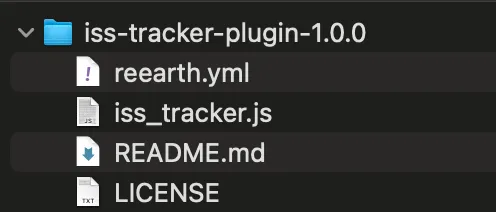
yarn typeyarn lintyarn buildThe final command builds the current source and creates package/iss-tracker-plugin-1.0.0.zip.

Open the ZIP and confirm that the installable files, including reearth.yml and iss_tracker.js, are at its root rather than inside another directory.
Exit local development mode
Section titled “Exit local development mode”Open web/.env in the local Re:Earth Visualizer repository. Remove REEARTH_WEB_DEV_PLUGIN_URLS, or comment it out:
# REEARTH_WEB_DEV_PLUGIN_URLS='["http://localhost:5005"]'Restart the Visualizer development server after changing the environment file.
Install the ZIP
Section titled “Install the ZIP”- Create or open a Visualizer project.
- Select the project name, then select Plugins.
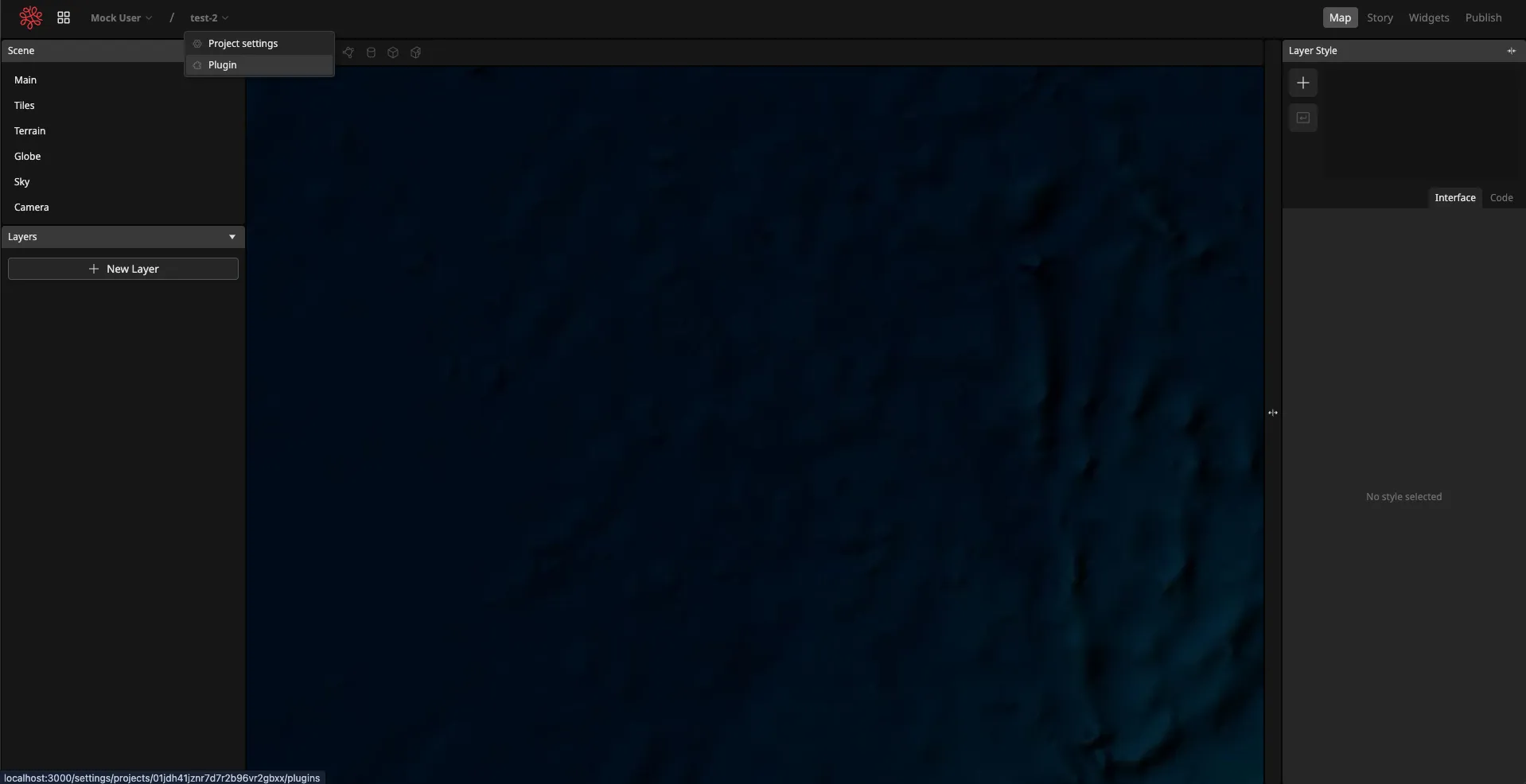
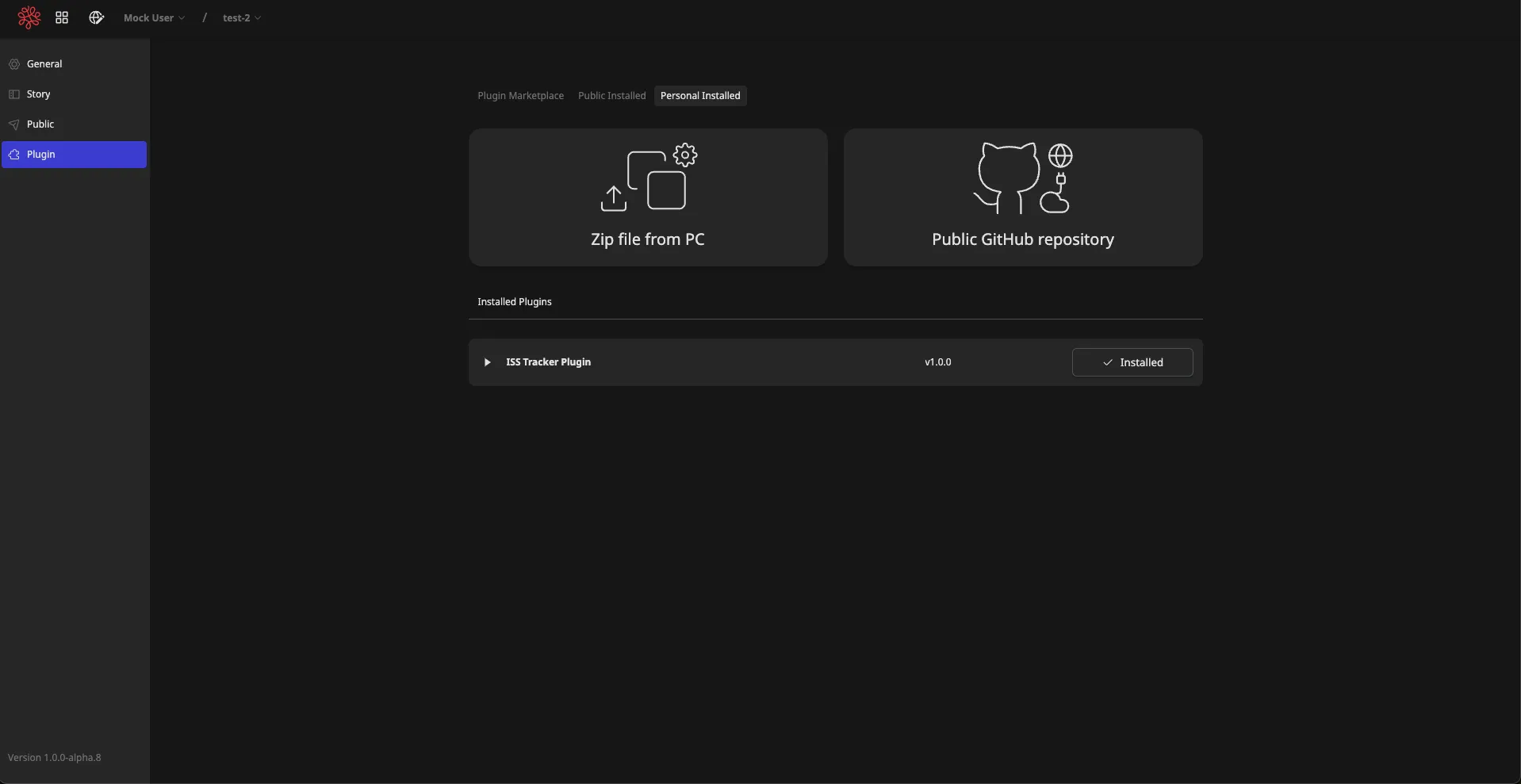
- Open Personally Installed, then select Upload ZIP File from PC.
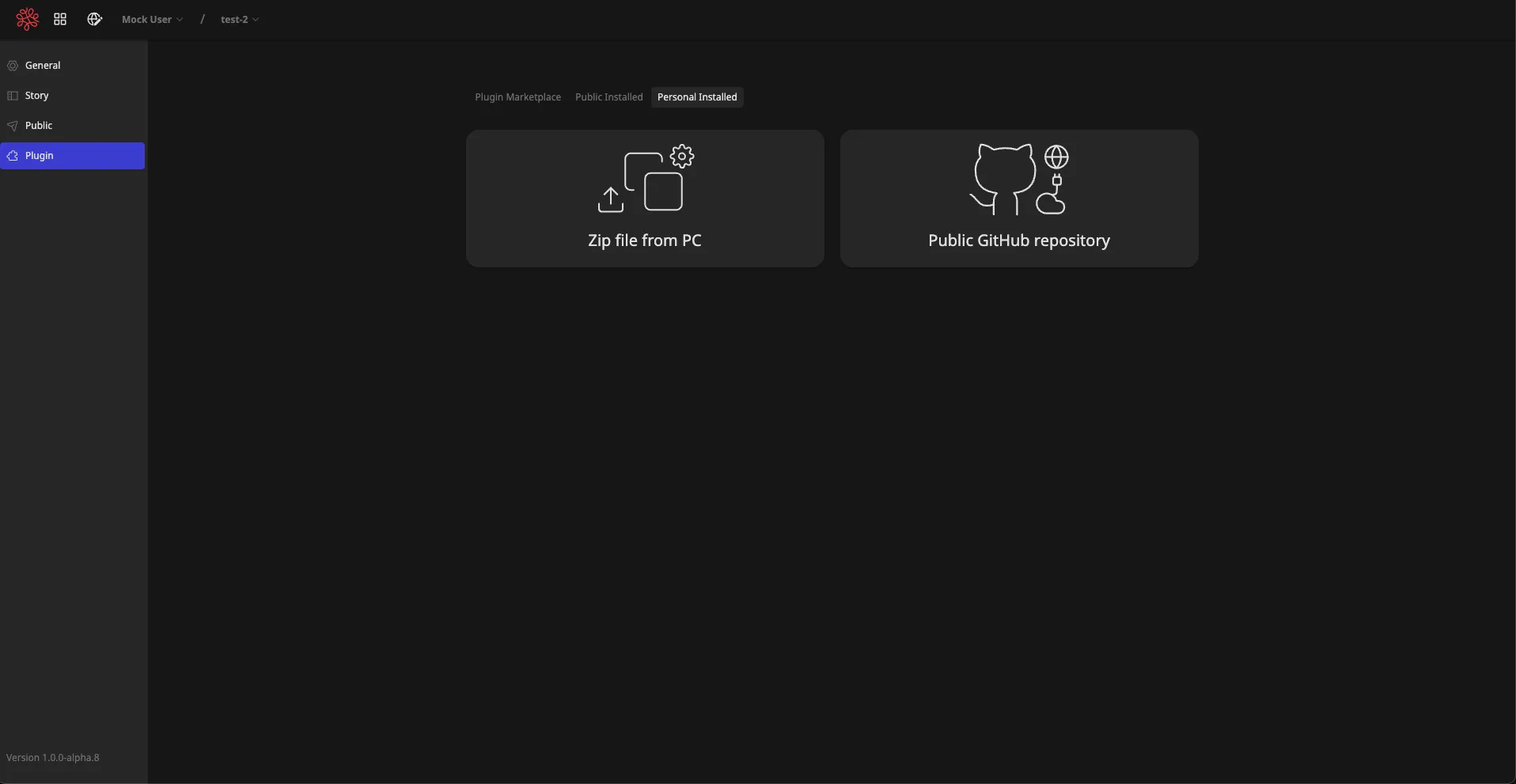
- Upload
iss-tracker-plugin-1.0.0.zipfrom the plugin project’spackagedirectory. - Confirm that ISS Tracker Plugin appears under installed plugins.
- Return to the editor.
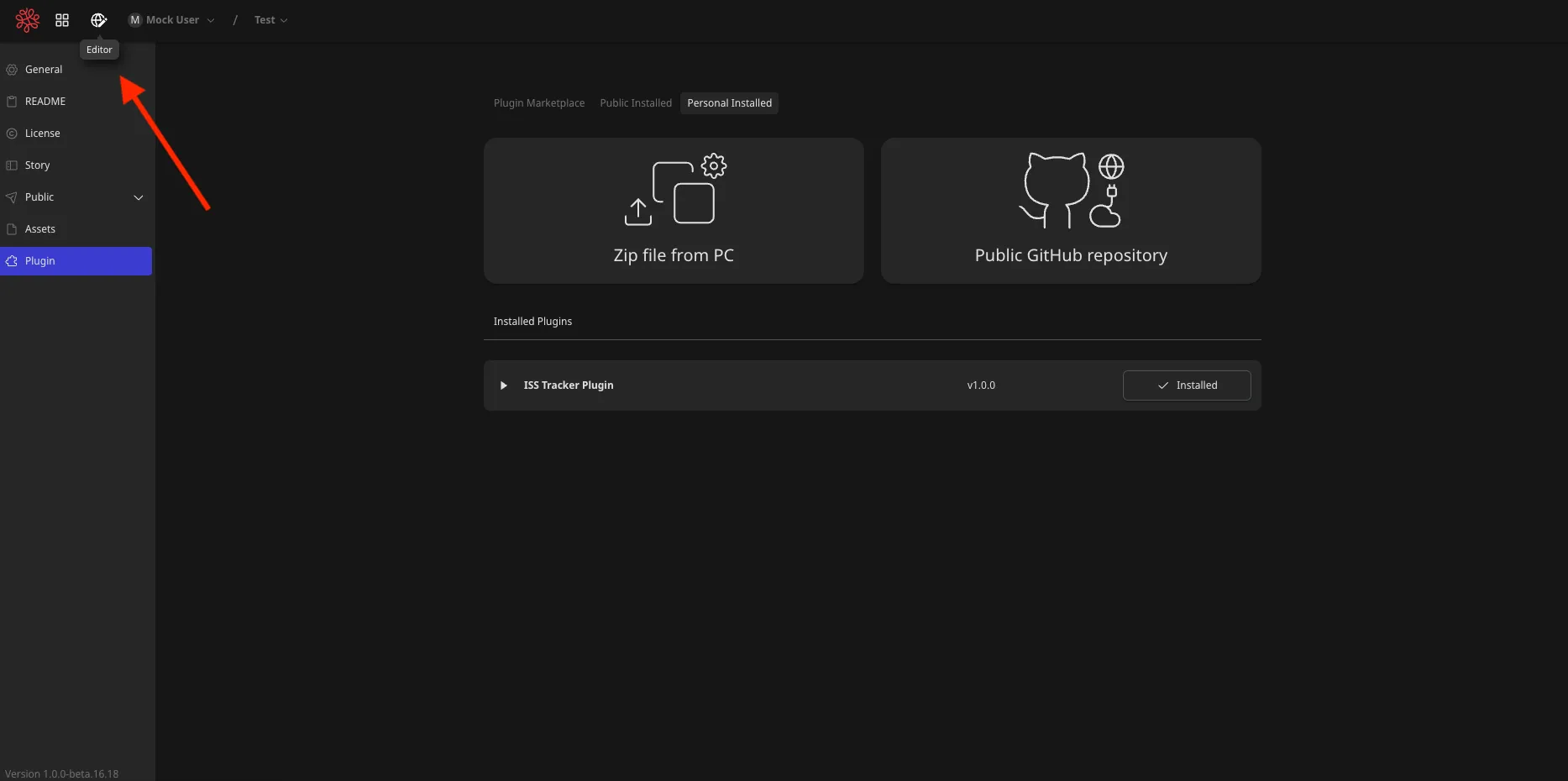
- Open the Widgets tab and add ISS Tracker to the scene.
Check the finished plugin
Section titled “Check the finished plugin”Your plugin is complete when all of the following are true:
- ISS Tracker Plugin appears under installed plugins.
- The ISS Tracker widget can be added from the Widgets tab.
- Update displays the latest ISS coordinates.
- Jump moves the camera to the displayed position.
- Follow changes to Unfollow and moves the camera as the ISS position updates.