Publishing data with Integration API
Last updated
Immediately after registering an item via Integration API, its status is Draft. To make it retrievable as published data via Public API, you need to change its status to Published.
Publishing flow
Section titled “Publishing flow”- Get the ID of the item you created
- Send a request to the publish endpoint to change its status to Published
Sample code for publishing an item with a specified ID
Section titled “Sample code for publishing an item with a specified ID”curl -X POST \ 'https://api.cms.reearth.io/api/<workspace>/projects/<project>/models/<model>/items/<item-id>/publish' \ --header 'Authorization: Bearer <your_integration_token>'const WORKSPACE_ID = "<workspace_id_or_alias>";const PROJECT_ID = "<project_id_or_alias>";const MODEL_ID = "<model_id_or_key>";const ITEM_ID = "<item-id>";const TOKEN = "<your_integration_token>";
const url = `https://api.cms.reearth.io/api/${WORKSPACE_ID}/projects/${PROJECT_ID}/models/${MODEL_ID}/items/${ITEM_ID}/publish`;
const resp = await fetch(url, { method: "POST", headers: { Authorization: `Bearer ${TOKEN}`, Accept: "application/json", },});
if (!resp.ok) { const text = await resp.text(); throw new Error(`HTTP ${resp.status}: ${text}`);}
console.log("Published");Sample code for creating and publishing an item in one go
Section titled “Sample code for creating and publishing an item in one go”To create and publish an item in one flow, use the item ID returned at creation time directly in the publish request.
const WORKSPACE_ID = "<workspace_id_or_alias>";const PROJECT_ID = "<project_id_or_alias>";const MODEL_ID = "<model_id_or_key>";const TOKEN = "<your_integration_token>";
const baseUrl = `https://api.cms.reearth.io/api/${WORKSPACE_ID}/projects/${PROJECT_ID}`;
// 1. Create the itemconst createResp = await fetch(`${baseUrl}/models/${MODEL_ID}/items`, {  method: "POST",  headers: {    Authorization: `Bearer ${TOKEN}`,    "Content-Type": "application/json",    Accept: "application/json",  },  body: JSON.stringify({    fields: [      { key: "name", type: "text", value: "Sample" },    ],  }),});
if (!createResp.ok) throw new Error(`Create failed: HTTP ${createResp.status}`);const item = await createResp.json();
// 2. Publish the created itemconst publishResp = await fetch(`${baseUrl}/models/${MODEL_ID}/items/${item.id}/publish`, {  method: "POST",  headers: {    Authorization: `Bearer ${TOKEN}`,    Accept: "application/json",  },});
if (!publishResp.ok) throw new Error(`Publish failed: HTTP ${publishResp.status}`);console.log("Create and publish complete.");Result
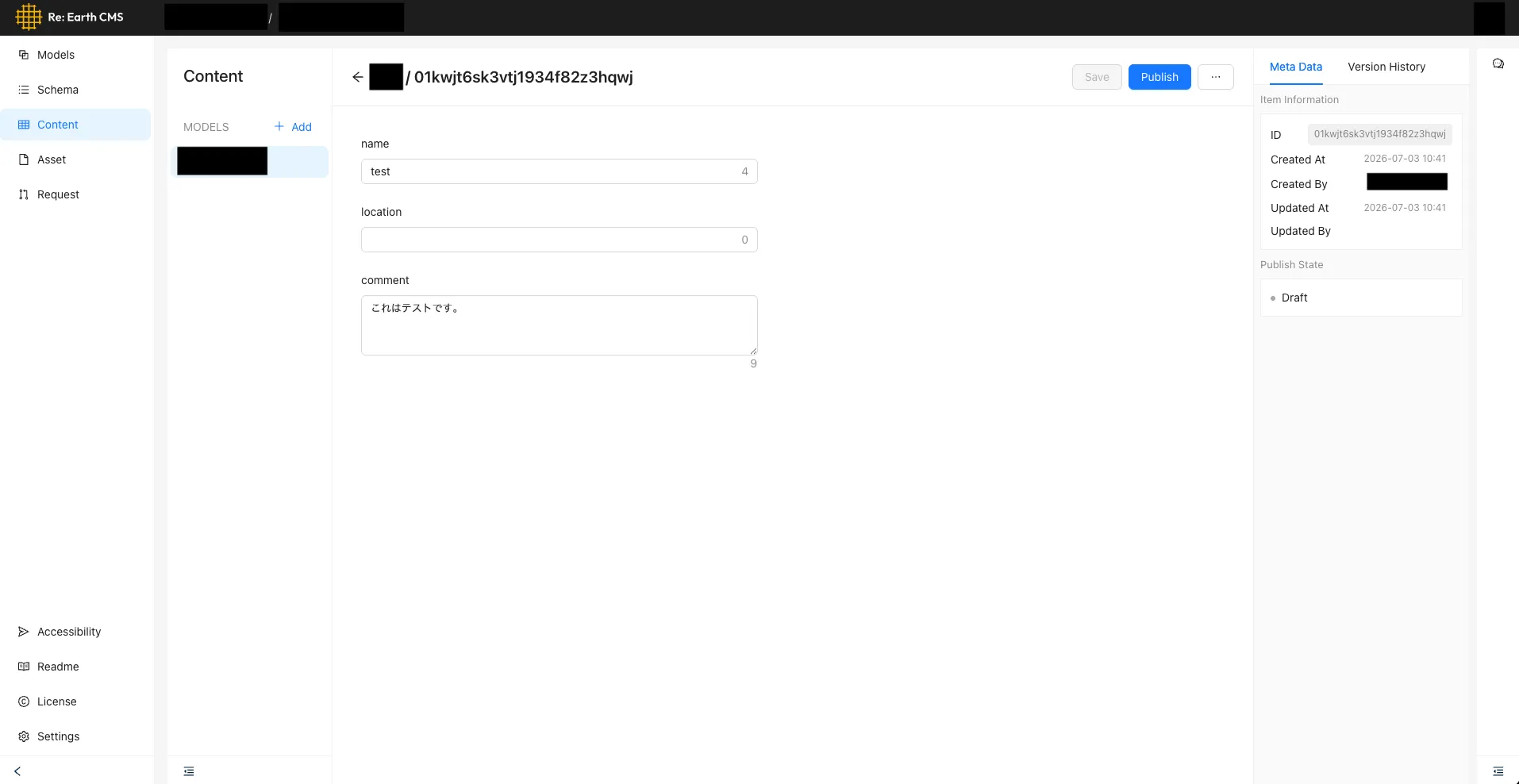
Section titled “Result”Before publishing, the status is Draft.
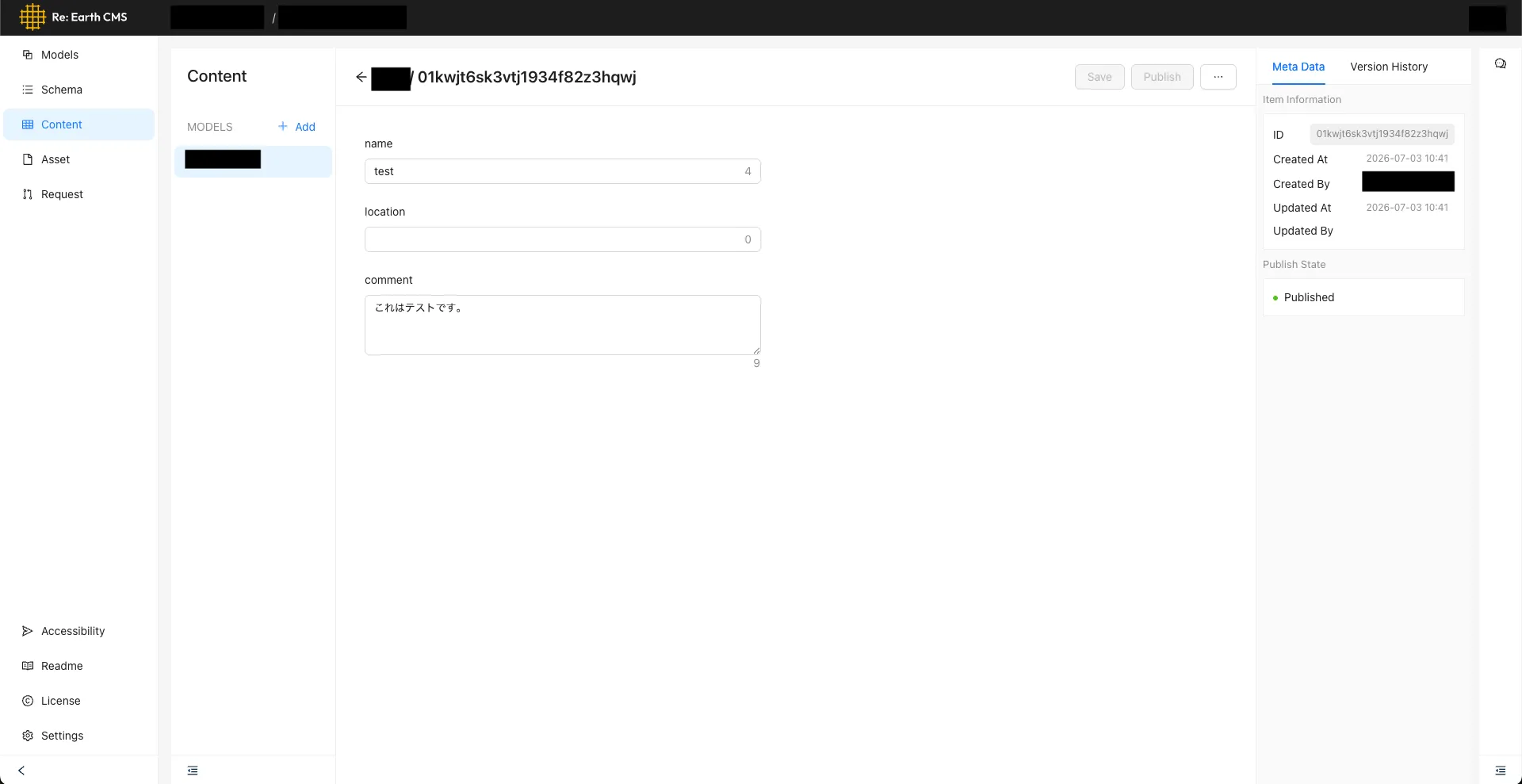
Calling the publish endpoint changes the status to Published, making it retrievable via Public API.
For the full endpoint specification, see Integration API Reference.