Updating a CMS item with external form submissions via Integration API
Last updated
With Integration API, you can perform more complex operations than with Public API, such as updating and deleting data. This guide explains how to update an existing Re:Earth CMS item with data submitted from an HTML form — such as a profile-edit form.
Sample code
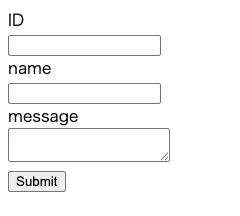
Section titled “Sample code”Below is sample code for an edit form. It submits an item ID, a name, and a comment, and updates the specified item. Change values like WORKSPACE_ID and the key in fields (the field key) to match your own model’s configuration.
<!DOCTYPE html><html lang="en"><head>  <meta charset="utf-8" />  <title>Edit your info</title></head><body>  <form id="contact-form">    <label>ID<br><input type="text" name="itemId" required /></label><br>    <label>name<br><input type="text" name="name" required /></label><br>    <label>message<br><textarea name="comment" required></textarea></label><br>    <button type="submit">Submit</button>  </form>
  <script>    const WORKSPACE_ID = "<workspace_id_or_alias>";    const PROJECT_ID = "<project_id_or_alias>";    const MODEL_ID = "<model_id_or_key>";    const TOKEN = "<your_integration_token>";
    document.getElementById("contact-form").addEventListener("submit", async (e) => {      e.preventDefault();
      const formData = new FormData(e.target);      const itemId = formData.get("itemId");
      const url = `https://api.cms.reearth.io/api/${WORKSPACE_ID}/projects/${PROJECT_ID}/models/${MODEL_ID}/items/${itemId}`;
      const body = {        fields: [          { key: "name",    type: "text",     value: formData.get("name") },          { key: "comment", type: "textArea", value: formData.get("comment") },        ],      };
      const resp = await fetch(url, {        method: "PATCH",        headers: {          Authorization: `Bearer ${TOKEN}`,          "Content-Type": "application/json",          Accept: "application/json",        },        body: JSON.stringify(body),      });
      if (!resp.ok) {        const text = await resp.text();        throw new Error(`HTTP ${resp.status}: ${text}`);      }
alert("Update complete."); }); </script></body></html>Result
Section titled “Result”Filling in the form and submitting it updates the item via Integration API.
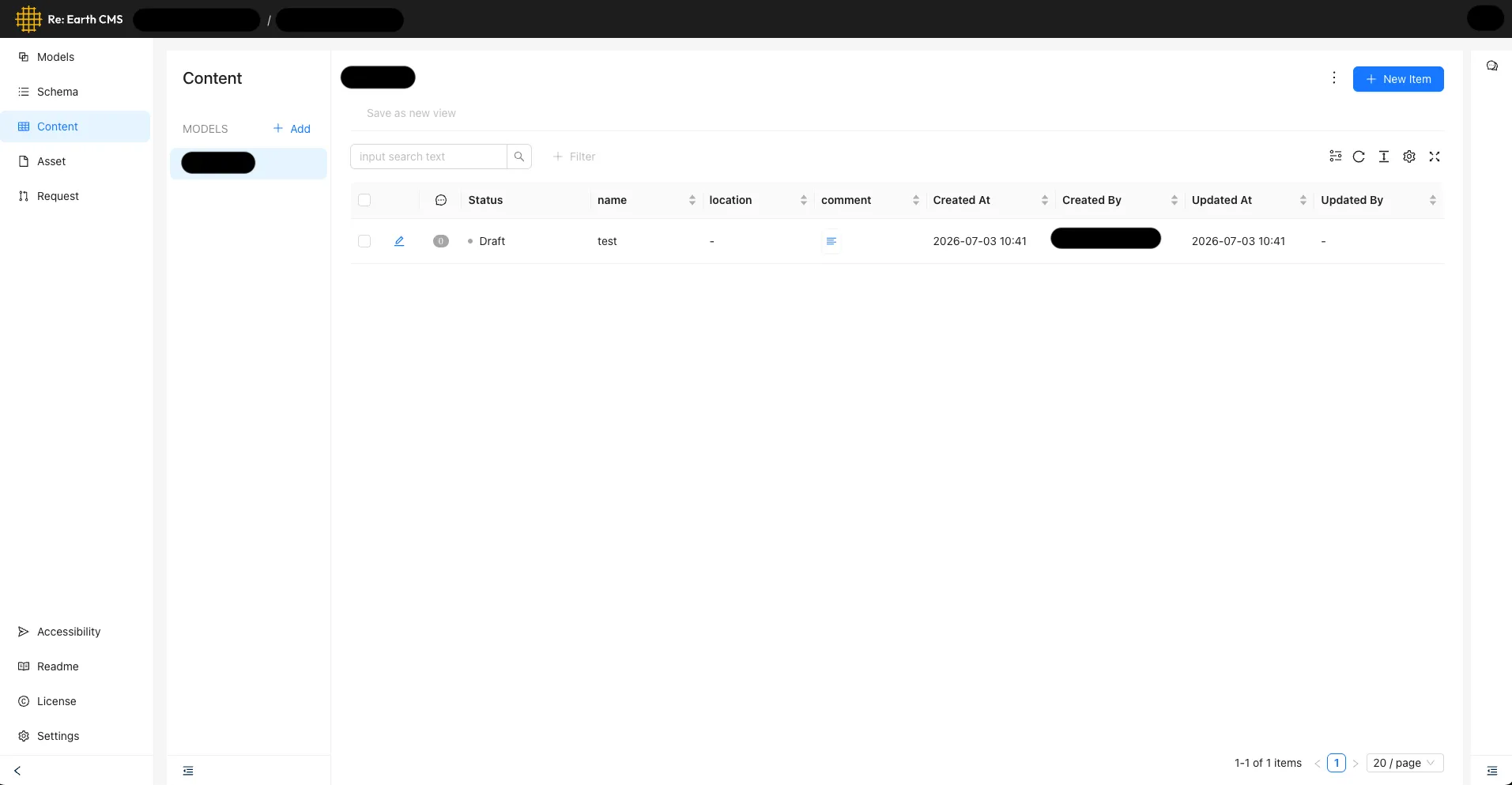
Checking the CMS’s Content screen shows the item updated with the submitted content.
For the full endpoint specification, see Integration API Reference.