Using Webhook
Last updated
This page explains how to set up a Webhook to automatically notify an external service of change events in the CMS.
Create an Integration
Section titled “Create an Integration”Webhook is configured from an Integration’s screen. First, create an Integration for the target project (and workspace, if needed) in the Re:Earth CMS management console. See Creating an Integration for the steps.
Setup steps
Section titled “Setup steps”-
From My Integrations, click the Integration to open its detail page
-
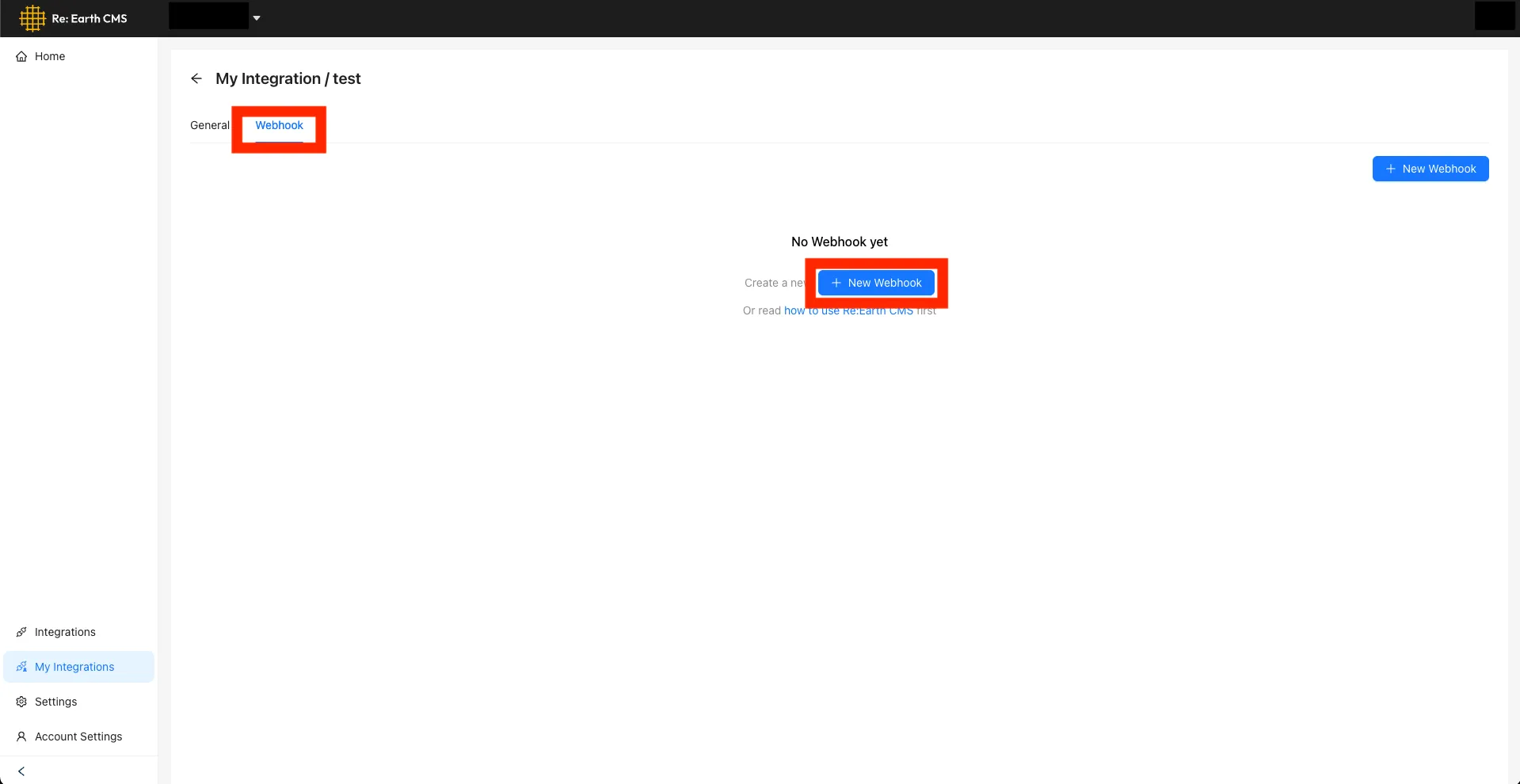
Open the Webhook tab
-
Click the + New Webhook button
-
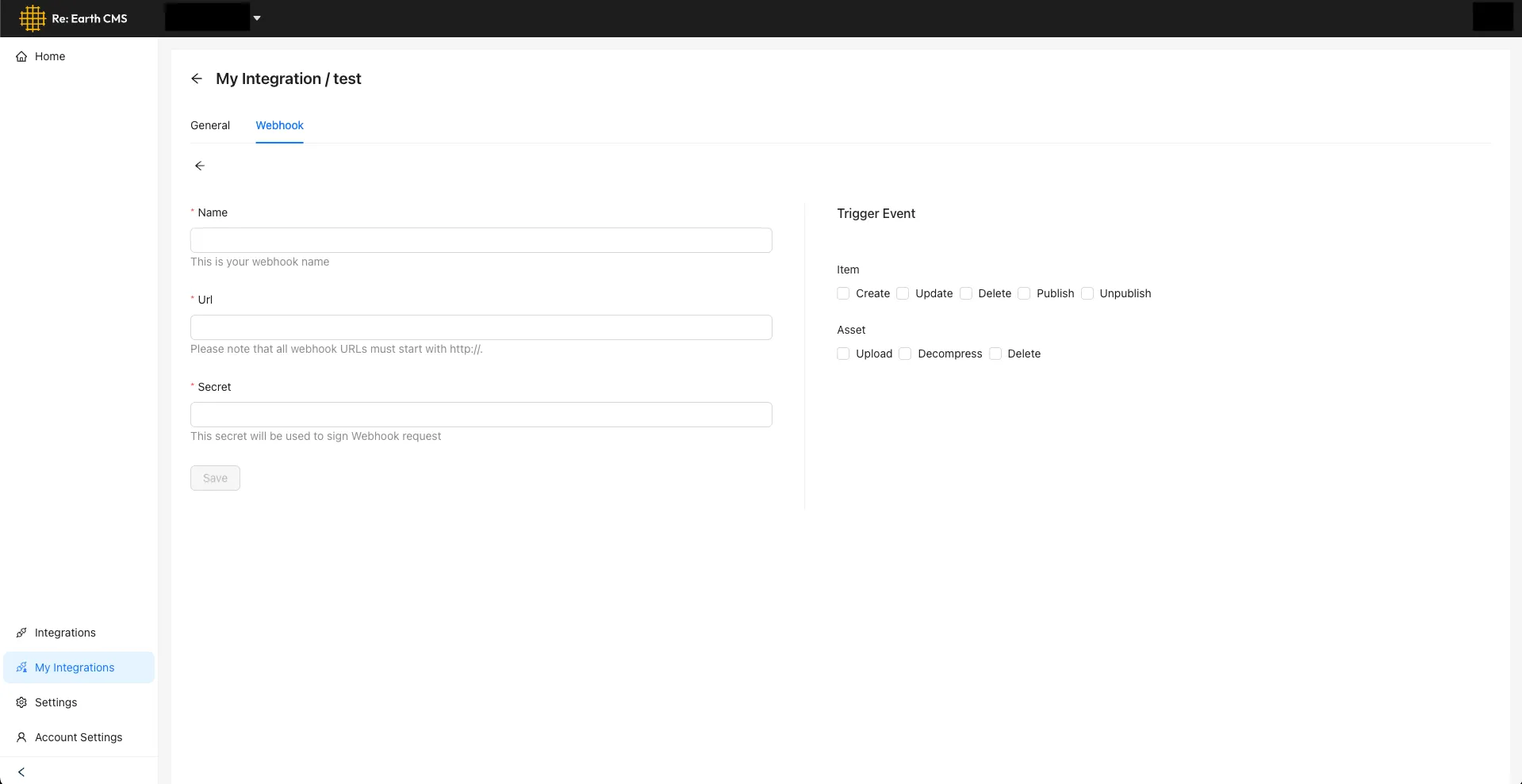
Fill in the following information and click the Save button
- Name
- URL — the destination URL. It must be a valid URL that can receive
POSTrequests - Secret — the secret you set here is used to sign the Webhook’s requests. By verifying that signature on the receiving side, you can confirm the request came from a legitimate source
- The events that trigger the Webhook (multiple selection allowed)
Event types
Section titled “Event types”Choose the events that trigger the Webhook. Every time a selected event occurs, a POST request is sent to the specified URL. Multiple events can be selected.
| Event | When it fires |
|---|---|
| Create | When a new item is created |
| Update | When an item is updated |
| Delete | When an item is deleted |
| Publish | When an item is published |
| Unpublish | When an item is set to unpublished |
Assets
Section titled “Assets”| Event | When it fires |
|---|---|
| Upload | When a new asset is uploaded |
| Decompress | When a compressed asset such as a ZIP file is extracted |
| Delete | When an asset is deleted |
Verifying it works
Section titled “Verifying it works”Once you’ve saved the Webhook, try triggering one of the events you configured. When the event occurs, a notification arrives at the specified URL.